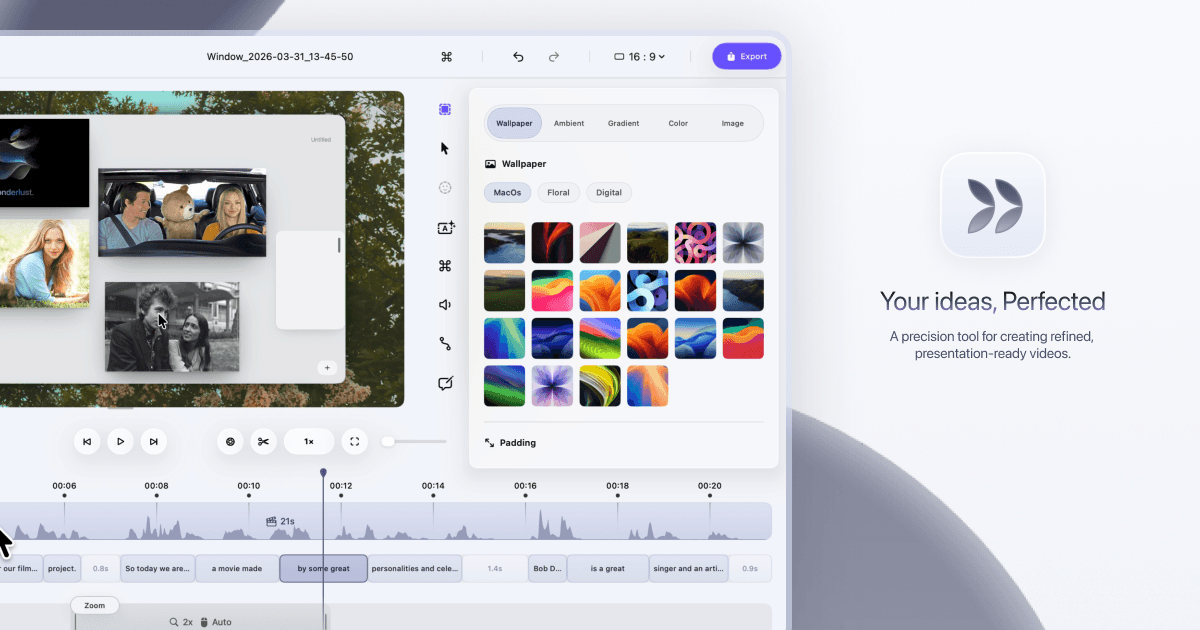
Dina helps you turn screen recordings into polished, presentation-ready videos without spending hours editing.
Dina is a strong pick if you're a Mac-based solopreneur or small team that regularly records product demos, tutorials, or client walkthroughs. The automatic zoom and AI transcript editing alone can save you 2-3 hours per video compared to manual editing in a basic screen recorder. The catch: pricing isn't public, it's Mac-only, and it's early-stage — so test it before committing.
Record your screen, webcam, microphone, and system audio all at once
Automatically zoom into key interactions to keep viewers focused
Edit your video by editing the transcript — AI removes filler words and silence
Generate natural-sounding voiceovers from text using on-device AI models
Add annotations, callouts, shapes, and highlights to guide viewer attention
Export in 4K with multiple formats and fast rendering
Source: www.dina.so·Verified May 2026
No integrations listed yet for Dina.
Dina uses on-device AI to edit video by transcript, remove filler words and silence, and generate natural-sounding voiceovers from text.
AI-generated training guides tailored to your team's size, skill level, and focus areas for Dina — coming in v0.3.2.
View our roadmap →We're building a review system so business owners like you can share real experiences with Dina.
Real workflows that use Dina to save time.
Save 45 minutes per video on post-production admin and keep your whole team updated automatically.
Publish videos on schedule every week and eliminate the 30 minutes you spend tracking down half-finished projects.
Cut your average recording session from 45 minutes to 15 minutes by going in with a ready script.
Cut post-delivery support emails by 60% and save 1.5 hours per week on client follow-up.
Last researched: May 2026